How Stock Squirrel works
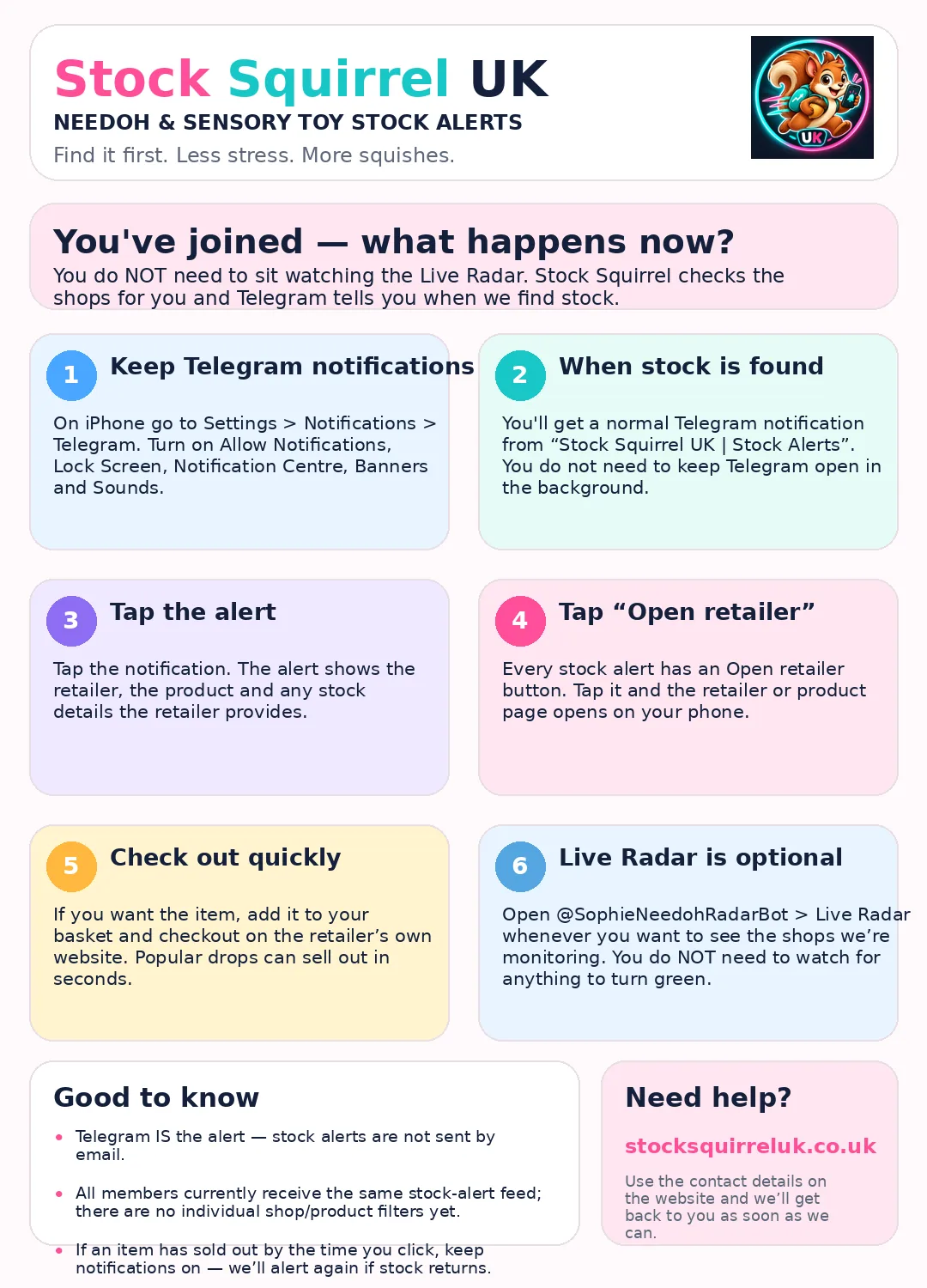
Stock Squirrel checks the shops for you. You do not need to keep Telegram open or sit watching the Live Radar.
1. Keep Telegram notifications onOn iPhone: Settings → Notifications → Telegram. Turn on Allow Notifications, Banners and Sounds.
2. Wait for the alertWhen we find stock, a normal Telegram notification arrives from Stock Squirrel UK | Stock Alerts.
3. Tap the alertThe message shows the retailer, product and any useful stock details we can see.
4. Tap Open retailerThe retailer or product page opens on your phone. Check the item and buy on the retailer's own website.
Already joined? This is what happens next
New to Telegram?
This guide shows the full setup from downloading Telegram to receiving your first alert.
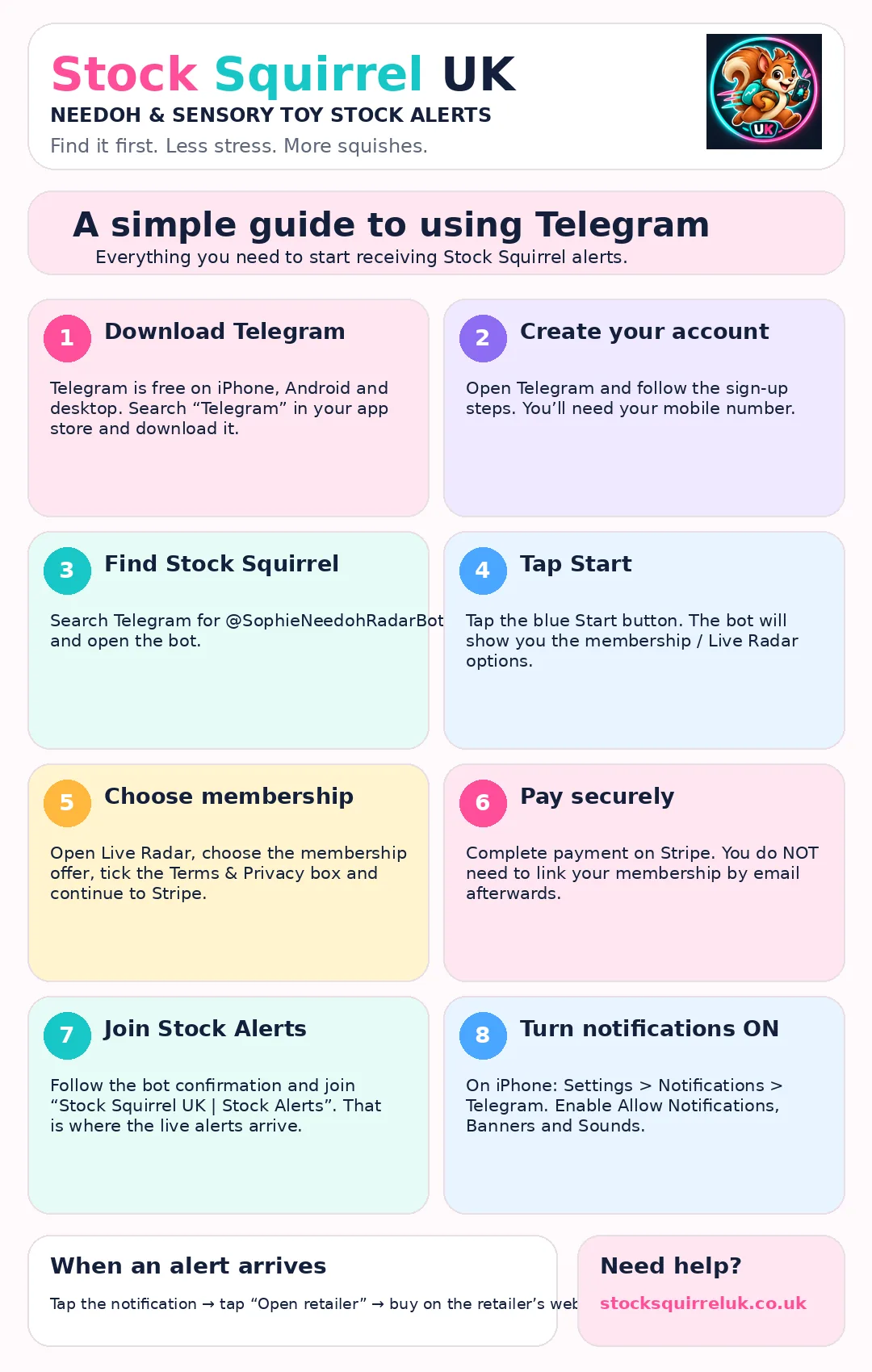
Useful to know: Telegram is the stock-alert channel — we do not send stock alerts by email. All members currently receive the same stock-alert feed; there are no individual shop/product filters yet. The Live Radar is optional.
Need help?
Email stocksquirreluk@gmail.com.
Email stocksquirreluk@gmail.com.
© 2026 Stock Squirrel UK. NeeDoh and retailer names belong to their respective owners. Stock Squirrel UK is an independent stock-alert service and is not affiliated with the retailers it monitors.